AMS optimizations - disabling the auto-loading / unloading filament after every single print
Made some manual tweaks to the Bambu G-Code settings to stop it from unloading filament after every single print.
the problem
I originally got the Bambu Lab AMS Lite thinking I was going to be using it for multi-color printing, but I wish I had known how much waste it would produce. It has to cut, swap, and purge filament for every single layer. I’ve mainly just stuck to single-color prints, and it’s nice to be able to just pick a color when starting a print-job. But even then, the printer cuts, purges, and unloads at the end of every job. If I’m planning to just print multiple things in a row of the same color, this is still a waste of time and material.
the solution
Thanks to reddit, I found out I was able to manually modify sections of G-Code and save it as profile to skip the unloading at the end of every single print. It only unloads filament if I choose to print something in a different color than what’s already loaded. And everything still just works.
Finding the printer settings screen in Bambu Studio was the hardest part. It’s here (as of Bambu Studio 2.7.1.x):
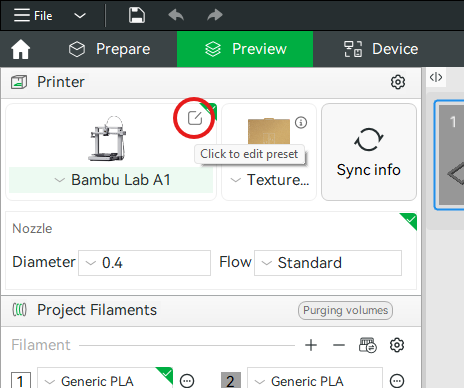
From there, it’s on the Machine gcode tab, Machine end G-code section.
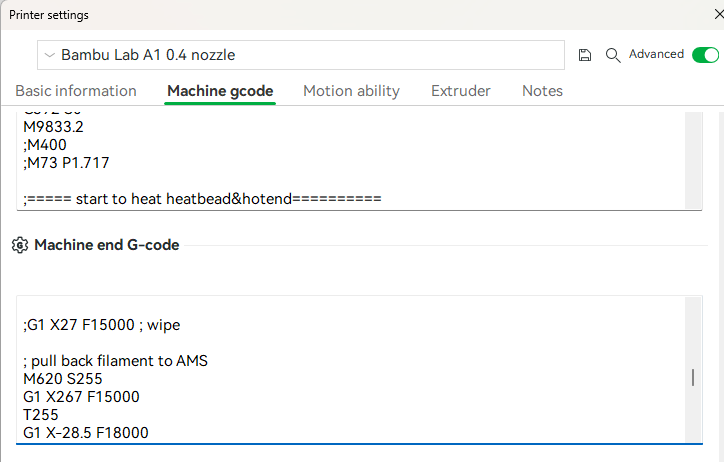
Find the following lines, and prepend them all with a semicolon to disable them (comment them out).
Before:
; pull back filament to AMS
M620 S255
G1 X267 F15000
T255
G1 X-28.5 F18000
G1 X-48.2 F3000
G1 X-28.5 F18000
G1 X-48.2 F3000
M621 S255
After:
; pull back filament to AMS
; M620 S255
; G1 X267 F15000
; T255
; G1 X-28.5 F18000
; G1 X-48.2 F3000
; G1 X-28.5 F18000
; G1 X-48.2 F3000
; M621 S255
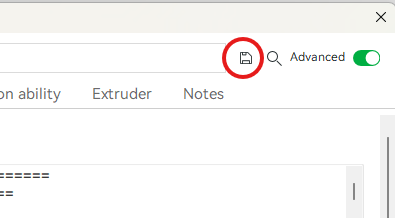
Click the save button, and name it as new profile, and use that from now on. Be sure to double-check the rest of your settings when you switch profiles.